
FITNE APP
your plan your progress One Fitne app.
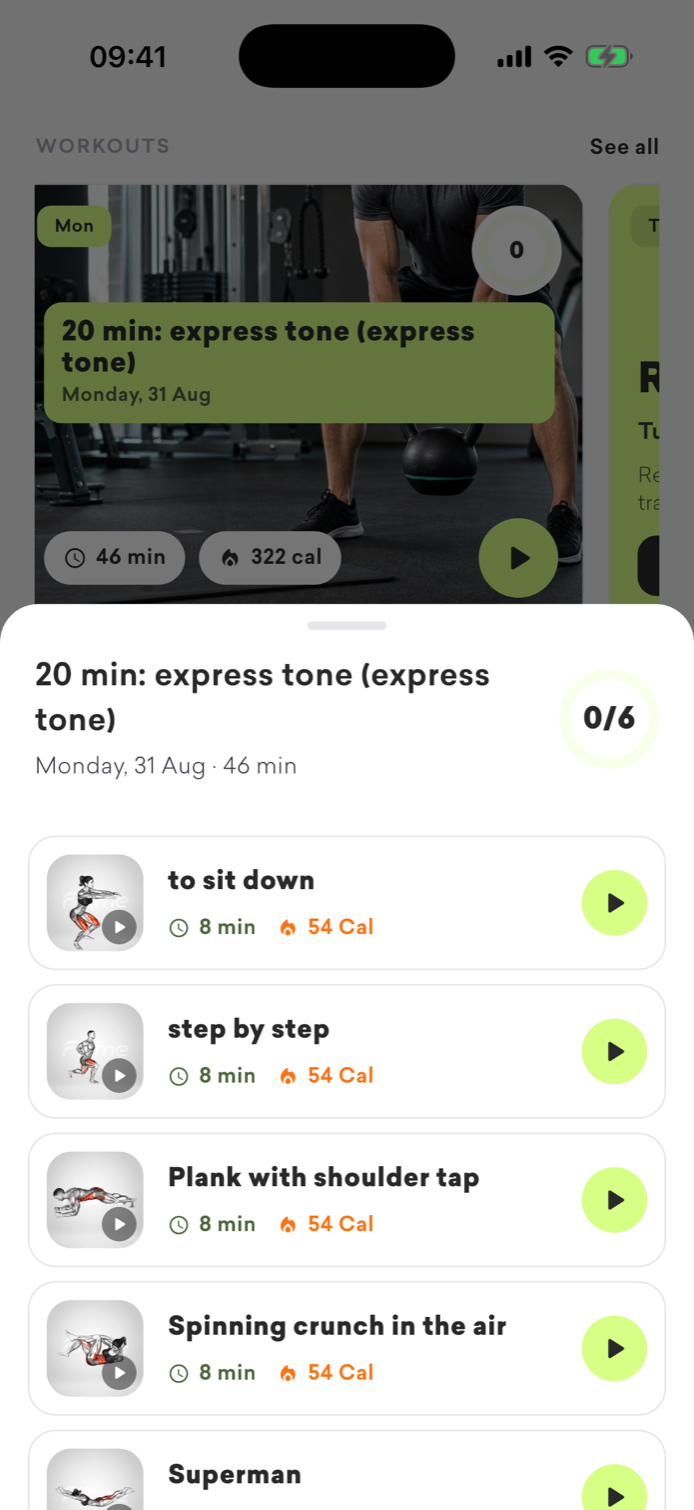
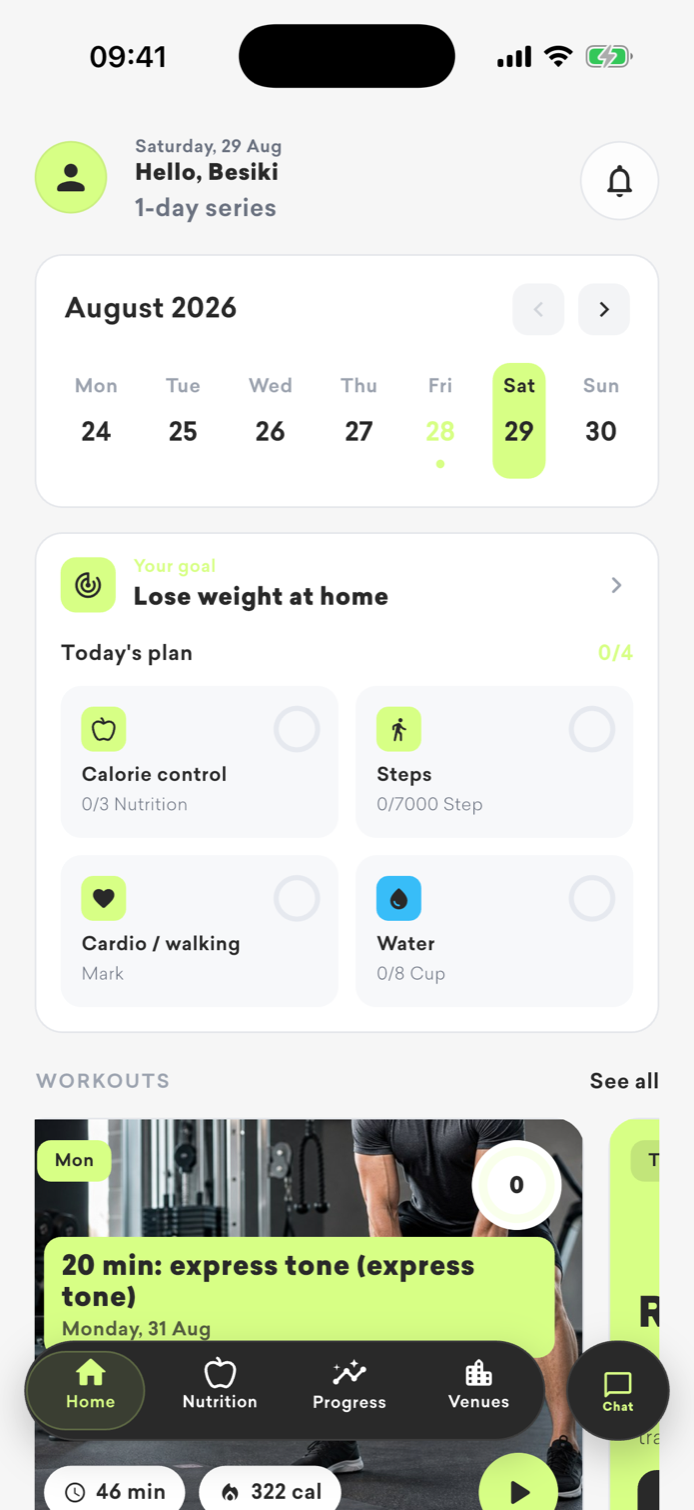
Fitne gives you one space for your daily regimen: see the structure of your goal-oriented plan, follow the details of the day, monitor nutrition and discover sports facilities.
We will show you a brief description of the plans on the website; Individual exercises and performance details are only available in the app.
One app, daily support
What do you manage with Fitne?
All the information you need is in your report—focusing on your goal, routine, and progress.
Structure of the plan
Select a destination, see the week's load, number of days and estimated duration in your Fitne app.
Details of the day
Each day's performance information and individual exercises are saved in the app, where you also manage your progress.
Nutrition and progress
Record your meals, track your progress and see how your results change over time.
Overview of plans
Choose the direction closest to your goal
These are brief descriptions of the plans. Specific exercises, daily tasks and performance instructions are only available in the Fitne app.
FITNE plan
ცხიმის წვა — კარდიო & წრიული
Only the direction of the plan and the main parameters of the load are visible here. The complete structure of the day and individual exercises are opened in the Fitne app.- Beginner
- Weight management
- 4 day of the week
- 8 weeks
- approx 40 წთ
FITNE plan
კუნთოვანი მასის მომატება — დარბაზში
Only the direction of the plan and the main parameters of the load are visible here. The complete structure of the day and individual exercises are opened in the Fitne app.- average level
- muscle development
- 4 day of the week
- 8 weeks
- approx 65 წთ
FITNE plan
Beginner Full Body
Only the direction of the plan and the main parameters of the load are visible here. The complete structure of the day and individual exercises are opened in the Fitne app.- Beginner
- General fitness
- 3 day of the week
- 8 weeks
- approx 40 წთ
FITNE plan
ძალის გაზრდა — დარბაზში
Only the direction of the plan and the main parameters of the load are visible here. The complete structure of the day and individual exercises are opened in the Fitne app.- Experienced
- Strength
- 5 day of the week
- 8 weeks
- approx 75 წთ
FITNE plan
წონის კლება — Functional training
Only the direction of the plan and the main parameters of the load are visible here. The complete structure of the day and individual exercises are opened in the Fitne app.- all
- Weight management
- 3 day of the week
- 8 weeks
- approx 35 წთ
FITNE plan
ზედა სხეული — ძალა
Only the direction of the plan and the main parameters of the load are visible here. The complete structure of the day and individual exercises are opened in the Fitne app.- average level
- muscle development
- 4 day of the week
- 10 კვირა
- approx 50 წთ
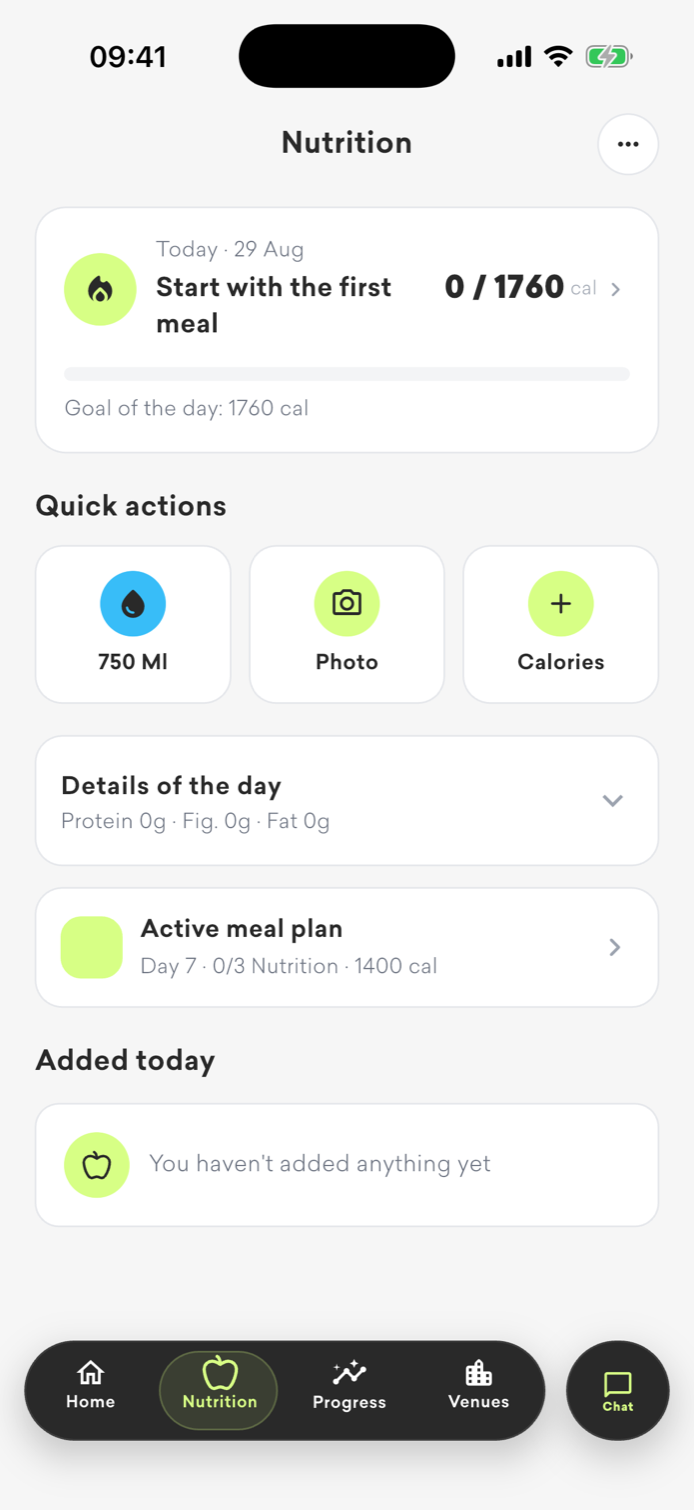
Fitne Nutrition
კვება და ყოველდღიური პროგრესი ერთ სივრცეში
აპში შეგიძლია დააფიქსირო კვება, წყალი და კალორიები, მიჰყვე აქტიურ გეგმას და ყოველდღიური results ერთ სუფთა ეკრანზე აკონტროლო.
What can I find in the Fitne app?+
Plan structure, day details, progress control, meal features and sports facility discovery.
Why are individual exercises not visible on the website?+
We show only general information about the plans on the website. Individual exercises, performance details and a personal day plan are available only in the app.
როგორ გავააქტიურო Fitne Pro?+
შექმენი ან შედი Fitne ანგარიშში და გაიარე პერსონალური შეფასება. შენს ქვეყანასა და მოწყობილობაზე ხელმისაწვდომ უსაფრთხო გადახდის მეთოდს ავტომატურად ნახავ.
how do i start+
Create or sign in to your account from the website, complete 7 short steps, choose the free or Pro version, and then continue with the same account in the app.
Get started with Fitne
All the details in your pocket
Create a personal plan, choose free or Pro access, and then proceed to the app.